Reference design

Adapt product image layouts with AI

Upload a permitted layout reference, then add your own product and verified copy. Choose Style reference or Close recreation to guide the design. No sales or conversion results are guaranteed.
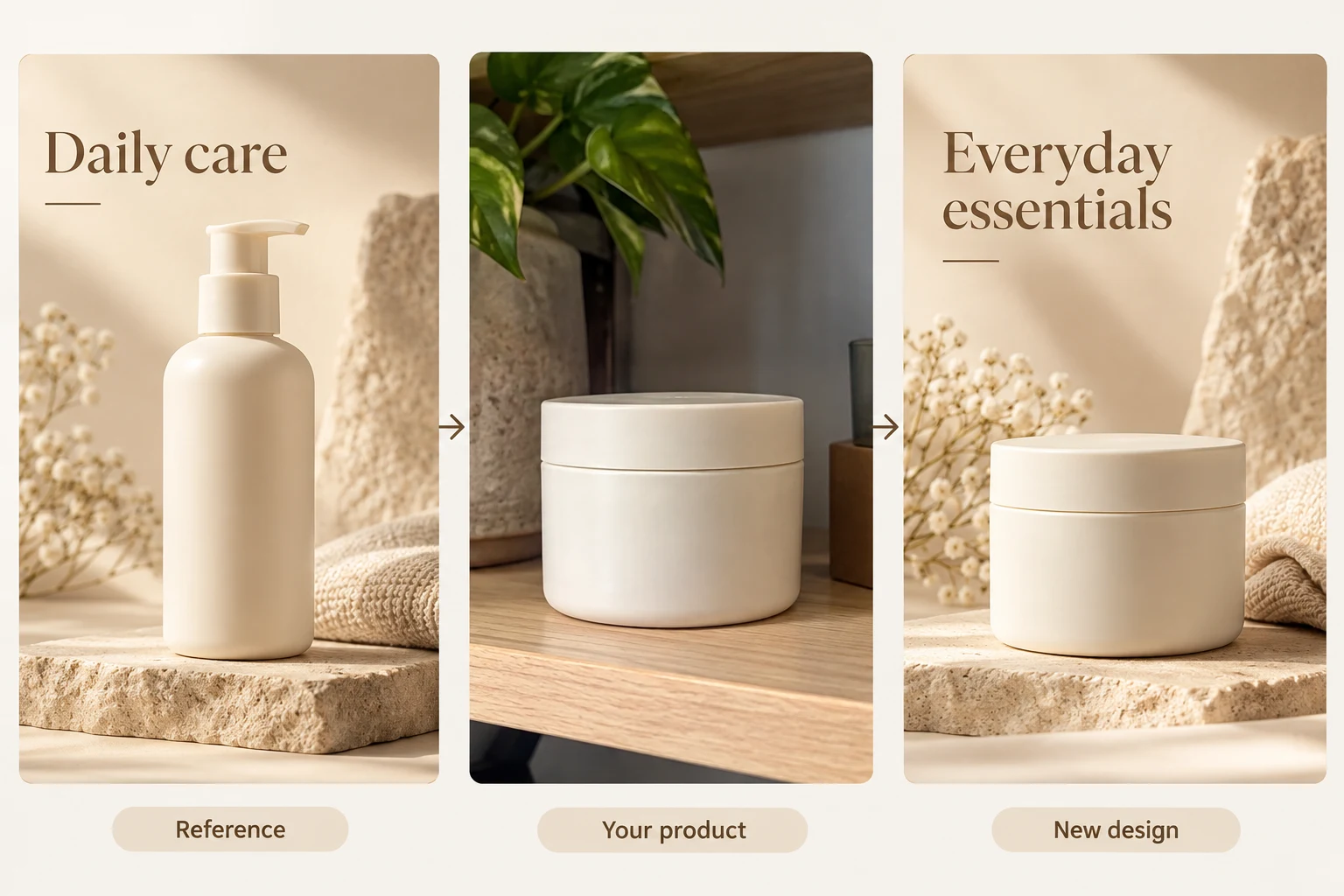
Illustrative reference-design board: replace a lotion bottle with a cream jar while borrowing the layout
Raven AI · Reference designIllustrative design example
DESIGN FOR THE PLACEMENT

Product images for Amazon, Shopify, Etsy and global stores

Raven AI separates five jobs: product listing sets, SKU / variant images, product-page sections, reference layouts and clothing model photos. Choose your sales platform, target market and image copy language separately. The platform selector guides the design; it does not upload, publish or approve the result.

Choose the destination and image role before generating
DestinationUseful starting pointCheck before publishing
AmazonProduct-only main image; separate lifestyle and detail images. Use the actual A+ module size for content sections.Main listing images need a white background. Review category rules; added logos and labels are not a substitute for product photography. Amazon image requirements ↗
Shopify / WooCommerceConsistent gallery ratios and one image per actual variant; separate banners and page sections.Shopify recommends 2048 × 2048 px for square product images. Preview your theme’s gallery on mobile. Shopify media guide ↗
EtsyKeep the actual item visible in square and landscape thumbnail crops.Etsy recommends at least 2000 px in both dimensions and generally requires original photos of the actual product. Image sizes ↗ · Original-photo policy ↗
eBayClear views of the actual condition and included items.Avoid text, border and logo overlays on listing photos. Check the current listing rules. eBay listing pictures ↗
Walmart Marketplace / TikTok ShopKeep product galleries distinct from promotional creatives.Review current country and category standards in your seller account. A vertical campaign graphic is not a universal listing format.

SKU image or main listing image?

A SKU image identifies the real color, size or bundle being sold. Match each variant to its own source photo and verify labels and quantities. Logo cards can work in permitted brand or promotional placements; for product-only marketplace slots, turn off labels and logo overlays and keep a white background.

Aspect ratio is not resolution

1:1 describes a square canvas, not a fixed pixel size. Choose the resolution separately and inspect the downloaded file. Amazon A+ presets create specific module-sized images, while store-page sections use the selected canvas ratio. Do not stretch an image to make it fit.

THREE SIMPLE STEPS

Reference design How does it work?

Follow the steps from upload to download

  1. 01

    Choose E-commerce Images → Reference Design Recreation. Upload 1 reference you own or are authorized to use. To replace the product, also upload a photo of the target product.

  2. 02

    Choose the recreation type and reference strength. Enter factual target-product information, details to preserve, and text to change. Do not carry over the reference product's performance or price.

  3. 03

    Confirm the cost and generate 1 result. Compare the composition with the reference, then compare the product with the target photo. Download after checking for incorrect brands, accessories, or promotional content left behind.

✳ Usage tips

First decide whether you want to borrow the overall feel or the structure. Asking for both a close match and a completely different design in one prompt can lead to unexpected results.

After processing, view the current canvas in the editor, compare before and after, and download the result as needed.

ILLUSTRATED USER GUIDE

Reference design Illustrated guide

Raven AI product guide · Updated

Before you start

Prepare a reference design you have permission to use, plus a target product photo if replacing the product. Supply accurate facts and new copy for the target product.

A PRACTICAL WORKFLOWOpen this workflow ↗

A reference layout, redesigned for your own product

Upload a design you have permission to reference separately from your product photo. Borrow layout hierarchy, not the old brand or product claims.

A reference layout, redesigned for your own product: illustrated design example
Illustrated example · Use your own product photos and confirmed copy.

Suggested setup

Workflow
Reference design
Reference type
Product image
Reference strength
Style reference
Image language
English

Before you generate

Upload your own clear, authorized materials. Replace sample copy with your confirmed information. Review the model, quality, size and estimated credits shown in the tool.
A reference layout, redesigned for your own product: actual English workspace and settings
English desktop workspace · Open to zoom in. The screenshot shows controls, not a submitted generation task.

Copy this example, then adjust the facts

Use the reference only for the headline hierarchy, generous spacing and soft beige lighting. Replace its lotion bottle with the uploaded cream jar and preserve the jar’s shape and lid. Use “Everyday essentials”. Remove the old brand, product text, prices and unsupported claims. Do not copy distinctive protected artwork.

What each setting does

Expand the options below for their purpose and practical tips. The available settings depend on the selected workflow and model.

Product Name, Key Features, and Factual Information

The name identifies the task; factual information guides the copy and product content. Both still require clear assets.

Product name

Identify products and creation records.

Tip: Use a short name without keyword stuffing. Each SKU name is entered separately and is required.

Product benefits and factual details

Enter verifiable uses, materials, structure, dimensions, and included items.

Tip: Organize it as Uses / Visible structure / Verified specifications / Not included. Do not let the model guess capacity, certifications, or therapeutic effects.

Additional instructions

Describe the background, composition, details to preserve, and elements to exclude.

Tip: Specify three or four key constraints at once. Preserve the color and clips; add no accessories is easier to verify than Make it more premium.

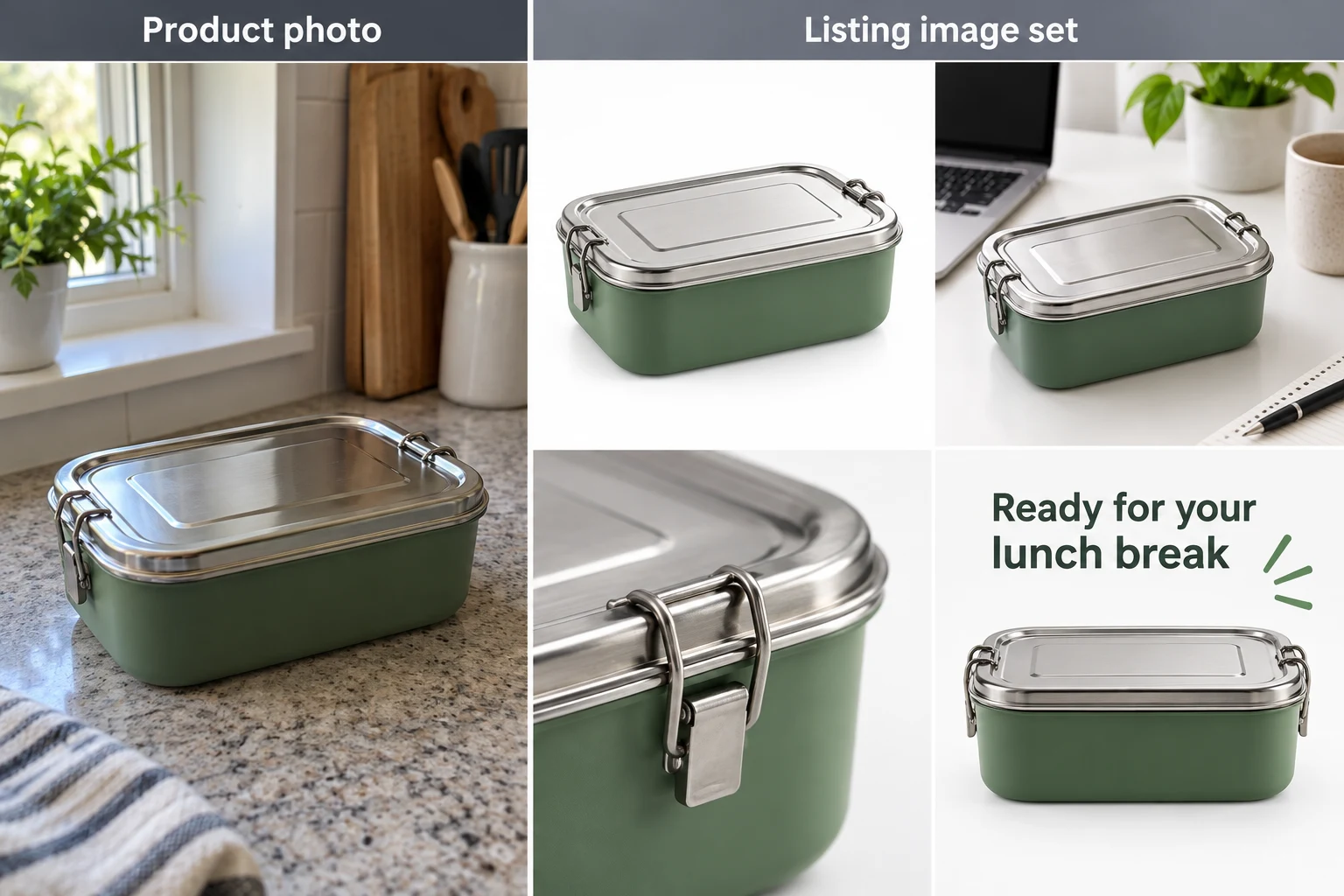
In this example: Lunch box: two visible side clips; the interior is not shown. The example supplies no material or capacity data, so omit those claims. Do not add cutlery or imply it is included.

Sales platform

Choose the destination before designing the image. A platform preset guides creation; it does not publish the image or certify compliance.

Online store

General product galleries and promotional layouts.

Tip: Choose the ratio for the actual placement, not just the product category.

Amazon

Product listing sets and Basic or Premium A+ modules.

Tip: Main images and A+ content have different rules. Match the exact module in Seller Central; a logo SKU card is not a main listing image.

Shopify

Consistent product galleries, variant images and product-page sections.

Tip: For square product images Shopify recommends 2048 × 2048 px. Select a suitable resolution and preview your theme’s crops on mobile.

Etsy

Plan listing compositions and supporting product visuals.

Tip: Etsy recommends images at least 2000 px in width and height and generally requires original photos of the actual product. Do not substitute an AI rendering for required original photography.

eBay

Show condition, angles and actual included accessories.

Tip: Use accurate product photos without added text, borders or logo overlays; confirm current category rules.

Walmart Marketplace

Product-only main images and supporting gallery content.

Tip: Verify your category’s current image standards, actual dimensions and included items before uploading.

TikTok Shop

Product listing visuals and separate promotional creatives.

Tip: Square listing images and vertical promotional content serve different placements; do not assume 9:16 is a listing rule.

WooCommerce

Product and variant galleries for a WordPress store.

Tip: Keep ratios consistent and check the active theme’s cropping and mobile gallery.

In this example: For a Shopify variant gallery, start with 1:1 and English copy. For Amazon’s main listing image, use a product-only white background without added labels or a logo.

Target market

Set the intended audience separately from the language inside the image.

Global

Guide context for an international audience.

Tip: Use verified units, pricing and product facts. The market selector does not perform legal checks or automatic currency conversion.

United States

Guide context for United States shoppers.

Tip: Use verified units, pricing and product facts. The market selector does not perform legal checks or automatic currency conversion.

United Kingdom

Guide context for United Kingdom shoppers.

Tip: Use verified units, pricing and product facts. The market selector does not perform legal checks or automatic currency conversion.

Canada

Guide context for Canada shoppers.

Tip: Use verified units, pricing and product facts. The market selector does not perform legal checks or automatic currency conversion.

Australia

Guide context for Australia shoppers.

Tip: Use verified units, pricing and product facts. The market selector does not perform legal checks or automatic currency conversion.

European Union

Guide context for European Union shoppers.

Tip: Use verified units, pricing and product facts. The market selector does not perform legal checks or automatic currency conversion.

Japan

Guide context for Japan shoppers.

Tip: Use verified units, pricing and product facts. The market selector does not perform legal checks or automatic currency conversion.

Southeast Asia

Guide context for Southeast Asia shoppers.

Tip: Use verified units, pricing and product facts. The market selector does not perform legal checks or automatic currency conversion.

In this example: United States audience with English copy; metric measurements may still be useful when your verified product specifications use them.

Image copy language

Choose the language for generated text, independently of platform and audience.

English

Use English for image copy.

Tip: Supply approved wording and check spelling, numbers and product claims. Preserve the real product’s own markings.

Spanish

Use Spanish for image copy.

Tip: Supply approved wording and check spelling, numbers and product claims. Preserve the real product’s own markings.

French

Use French for image copy.

Tip: Supply approved wording and check spelling, numbers and product claims. Preserve the real product’s own markings.

German

Use German for image copy.

Tip: Supply approved wording and check spelling, numbers and product claims. Preserve the real product’s own markings.

Italian

Use Italian for image copy.

Tip: Supply approved wording and check spelling, numbers and product claims. Preserve the real product’s own markings.

Portuguese

Use Portuguese for image copy.

Tip: Supply approved wording and check spelling, numbers and product claims. Preserve the real product’s own markings.

Japanese

Use Japanese for image copy.

Tip: Supply approved wording and check spelling, numbers and product claims. Preserve the real product’s own markings.

Korean

Use Korean for image copy.

Tip: Supply approved wording and check spelling, numbers and product claims. Preserve the real product’s own markings.

Thai

Use Thai for image copy.

Tip: Supply approved wording and check spelling, numbers and product claims. Preserve the real product’s own markings.

Malay

Use Malay for image copy.

Tip: Supply approved wording and check spelling, numbers and product claims. Preserve the real product’s own markings.

No text

Create an image without added marketing copy.

Tip: Supply approved wording and check spelling, numbers and product claims. Preserve the real product’s own markings.

In this example: English for a product benefits graphic; No text for a clean listing image.

Image size / aspect ratio

Controls the output format, not the canvas zoom level.

1:1

Square product images and variant thumbnails.

Tip: Leave enough margin to avoid cropping the product in square thumbnails.

3:4/2:3/9:16

For portrait content. Choose from the available values.

Tip: 9:16 is narrower and taller, so shorten wide headings. SKU images support only 1:1, 3:4, and 4:3.

4:3/3:2/16:9

For landscape scenes and placements. Choose from the available values.

Tip: Allow enough width for the layout. Available ratios in a mode vary by platform; not every feature offers every ratio.

970×600/970×300

Amazon Basic A+ creation presets.

Tip: Available only in the corresponding detail mode. Match it to the target module in your seller account before use.

1464×600/600×450

Premium A+ desktop / mobile creation presets.

Tip: Device combinations and custom aspect ratios are separate approaches. Check the downloaded file's actual pixel dimensions.

In this example: For this tumbler SKU workflow, request separate 1:1 image. Choose detail-module dimensions for the desk fan according to the intended publishing slot. The combined illustration board is not an individual upload-ready SKU or A+ module.

Visual style

Sets a consistent photography style, palette, and spacing without overriding product facts. Hidden when SKU images follow a reference layout.

Refined minimalism · Soft lighting · Clean white space

Emphasize the product outline and a clean background.

Tip: Verify color and structure first. A refined look does not call for extra accessories.

Fresh and natural · Everyday lifestyle · Warm tones

For home, gardening, and everyday settings.

Tip: Distinguish scene props from included items.

Professional tech · Cool lighting · Clear hierarchy

For clearly presenting structure and specifications.

Tip: Do not invent ports or technical features to fit the style.

Youthful energy · Bright colors · Playful layout

Emphasize color and a lively mood.

Tip: Use a bright background without tinting the product's actual color.

Elegant luxury · Dark backdrop · Directional lighting

For a dark mood and material-focused presentation.

Tip: Dark products can blend into the background. Specify rim lighting to keep the outline visible.

In this example: Use Minimal and Refined for the lunch box and Fresh and Natural for the watering can. Change only the style to compare its effect.

Generation Model, Quality, and Resolution

The model determines available settings, quality guides generation, and resolution sets the output level. Use the cost shown in the current interface.

Generation Model

Choose a model currently available in the interface.

Tip: Test product fidelity and text with a few images first. This tutorial does not fix model versions, prices, or capability guarantees.

Generation Quality (If Available for the Current Model)

Choose a quality level supported by the model.

Tip: Some models do not offer this control. A higher level does not guarantee correction of inaccurate facts or product structures.

Output resolution

Choose a level supported by the current model for the final display size.

Tip: Review a lower-cost draft before creating the final version. Viewing the canvas at 200% does not double the file's pixel dimensions.

In this example: Finish one lunch box concept and confirm its color and clips before increasing settings for the final version. Check estimated credits before submitting.

Create, Pause, Continue, Records, and Downloads

Manage tasks and downloads without changing the images' intended uses.

Start Creating / Create Selected SKUs / Submit New Task

Create a new task from a snapshot of the current assets and settings.

Tip: Asset changes affect only new submissions, not existing tasks. Check the image count and credits first.

Pause Queued Tasks

Stop queued items that have not yet been submitted.

Tip: Submitted items may still finish. Later SKU images wait until the first image is complete.

Continue Unfinished Tasks / Continue Checking

Resume the queue or check existing tasks.

Tip: Checking existing tasks does not resubmit them. If submission status is unknown, check records before retrying repeatedly.

Generate again

Failed items may be resubmitted and incur new charges.

Tip: First check whether the task already has a taskId and read the interface guidance. Regeneration is not a free refresh.

Download Image / Download SKU ZIP

Save the current image or a ZIP of completed SKU results.

Tip: The ZIP excludes unfinished items. Truncated name displays do not change the actual filenames.

Project History, Clear Canvas, Zoom, and Pan

Switch records, organize previews, and zoom in to inspect.

Tip: Clearing the current view does not delete tasks or creation records. Zoom, Fit, and detail-page Fit Width / Overview do not change downloaded pixel dimensions.

In this example: If only two of three organizer variants are complete, download those two first. After resuming, check the third.

Reference content and original product photo (optional)

Use one reference image and produce one result per run. The reference is required; the replacement product photo is optional.

Reference content

Guide the design direction.

Tip: Use only designs you own or have permission to use. Using the tool does not grant permission.

Original Product Images

Define the replacement product.

Tip: To replace the lotion bottle with your cream jar, upload a clear jar photo in the product-image field. A product name alone does not supply its appearance; without a replacement photo, the reference product may remain.

In this example: Upload the permitted lotion-bottle design as Reference Content and your cream-jar photo as the product image. The reference supplies layout ideas; the jar photo supplies the product.

Recreation type

Specify the type of content in the reference.

E-commerce product images

Product presentation and advertising layout.

Tip: Select this for the example.

Fashion product images

An apparel product setting.

Tip: Check permissions for the person and clothing, and verify the garment's cut.

Marketing posters

Organize the theme, headline, and call to action.

Tip: Provide the price and promotional details.

Social media graphics

Text and visuals that are readable in a social feed.

Tip: Keep headlines short and check readability on a small screen.

Creative posters

Place more emphasis on visual direction.

Tip: Creative styling must preserve essential product construction.

In this example: Choose the product-image reference workflow to adapt the lotion-bottle layout for your cream jar. Replace the old product and headline with your own verified content.

Reference fidelity

Choose whether to borrow the style or follow the composition more closely.

Use reference style

Keep the overall feel, palette, and design logic while allowing the scene to be reworked.

Tip: Compare the Style Reference result with the original reference to see how the scene can change.

Closely match reference

Follow the reference's subject area and text hierarchy more closely.

Tip: Compare the product area and text hierarchy in the Close Match result with the original reference. Differences may remain.

In this example: Try Close Match first for a consistent store product range; try Style Reference to explore a new direction.

Workflow: separate the design reference from the replacement product

In Bestselling Design Recreation, upload the design in References and your product in Product Assets. Each task uses 1 reference image and produces 1 result. Without a replacement product, the reference product remains the basis.

Style Reference allows more design variation; Close Recreation emphasizes the original composition. Enter the replacement headline and product details to preserve. Before submitting, make sure you have not used the reference product’s prices, brand, or performance as your own information.

Strength settings: choose style or composition as the reference

Choose the recreation type, then select Style Reference or Close Recreation. Style Reference preserves the overall design feel while allowing restructuring; Close Recreation follows subject placement and text areas more closely.

Specify what to preserve and replace in Additional Requirements, such as keeping the left-right column layout, replacing the product and headline, and removing the original brand text. Avoid contradictory requests for both identical and entirely different designs.

Check this list when finished

  • The target product has not taken on the reference product’s shape.
  • No old brand, old price, or unauthorized person remains.
  • Permissions and copy match the final publishing use.

How do I fix a problem?

The product was not replaced

Make sure you uploaded the product in Product Assets, not only References. Clearly identify which subject to replace.

The layout changed too much

Check whether Style Reference is selected. Choose Close Recreation for a similar composition, though pixel-perfect matching is still not guaranteed.

WHEN TO USE IT

When to use it Reference design?

Existing brand templates: update the product and copy in an old poster you are authorized to use, preserving the visual identity. Check that old products, prices, and event information are fully removed.

New product design exploration: borrow lighting, spacing, and text hierarchy without copying the layout. Use Style Reference and adapt the design to the target product's size and features.

Reference Strength: Similar Style and Similar Layout Are Different Goals

Style Reference focuses on overall feel, information hierarchy, and visual direction, allowing new scenes and colors for creative exploration. Close Recreation emphasizes subject placement, text areas, image-to-text proportions, and camera framing for an established layout direction.

Neither reference setting guarantees a pixel-for-pixel copy. In the English example, a tall lotion bottle becomes a wider cream jar, so the product area and surrounding space may need adjustment. Keep the jar fully visible and correctly proportioned while borrowing the reference hierarchy.

Product Replacement: Keep the Design Logic and Enter New Product Facts

Each run uses 1 reference image to generate 1 result, with optional product assets. Without a replacement product, the design uses the reference product. For replacement, use a clear product image showing color, outline, and marks so background clutter is not mistaken for the target product.

Capacity, discounts, composition, or services in the reference are not facts about your product. Clearly state what to keep and replace. Example: Follow the product-left, heading-right arrangement; replace the product with the uploaded off-white canvas bag; change the heading to Commuting Storage; do not reuse the original brand, price, or performance claims.

If the reference contains multiple products, specify which one to replace and whether the other elements should remain. Check for fragments of the reference product's outline or old marks; do not review only the overall mood.

Supported Types: Product Images, Fashion Images, and Marketing Posters

Choose E-commerce Product Images, Fashion E-commerce Images, Marketing Posters, Social Media Graphics, or Creative Posters. Product images prioritize accurate appearance and verified features. Marketing posters need a clear campaign theme and valid copy. Social graphics need readable mobile text and clear heading hierarchy.

Use Product Image Sets for multiple images conveying different product information. Use Virtual Try-On for clothing on models in multiple poses and scenes. Reference Design Recreation focuses on one image's design direction and does not replace planning a complete detail page.

Reference Assets: Use Designs You Are Authorized to Use

Prefer your own previous designs, brand-provided templates, or licensed assets. Using a reference does not justify copying another brand's endorsement, model likeness, protected patterns, or distinctive marks. Do not use generation to remove watermarks and reuse someone else's images.

Before publishing, check branding, likeness permissions and campaign facts. A design reference does not establish sales performance or guarantee conversions.

Review Results: Three Comparisons to Find Errors

First, compare with the reference to check the intended image and text hierarchy. Second, compare with the real product photo for color, structure, and proportions. Third, read only the copy to find old brands, outdated figures, typos, and unverified promises.

If the design works but the product is wrong, add a clearer product view. If the product is correct but the layout is crowded, shorten the copy and specify spacing. For a few wording changes, continue with Edit Image Text. Focus on one main error per attempt to assess whether the adjustment helps.

GOOD TO KNOW

FAQs before you start

Should I choose Style Reference or Close Recreation?

Choose Style Reference to borrow the feel, lighting, and information hierarchy. Choose Close Recreation for similar subject placement, text areas, and image-to-text proportions. Neither guarantees pixel-perfect consistency.

Do I have to upload a new product photo?

No. Without a replacement, the design uses the reference product. To use your own product, provide clear target-product assets.

Can I recreate multiple references at once?

Currently, each run accepts 1 reference and generates 1 result. Create different reference designs separately to avoid conflicting composition instructions.

Can I copy another merchant's ad directly?

Use references you are authorized to use and write factual copy for your own product. Do not copy another party's brand, likeness, or unauthorized design elements.

What if the reference brand remains in the result?

Hold off on publishing. Clearly specify the text and marks to remove or replace, and check that the target product photo is clear. For minor text issues, continue editing with Edit Image Text.